BETTAVARO MEMBER GUIDE

How to Create Your Bettavaro Account

Create your free Bettavaro account and gain access to member features including listings, offers, auctions, order management and communication with sellers.

A simple guide to Bettavaro membership

Register in just a few steps to explore betta fish listings, save items that interest you, join eligible auctions, make offers, track orders and use Bettavaro member features.

  • Free registration
  • Secure member account
  • Buyer and future seller access
  • Mobile-friendly experience

Quick overview

Five steps to get started

Follow the sequence from opening the Sign In page to accessing Bettavaro with your new account.

Open Sign In
Select New Register
Enter Your Information
Create Your Account
Sign In and Get Started

Detailed registration steps

Follow the registration journey

Select any screenshot to view it at full size in a new tab.

Step 1

Open the Sign In pageSelect Sign In from the main navigation

From the Bettavaro homepage, select “Sign In” in the top navigation to open the member sign-in page.

On a mobile device, the Sign In button may be inside the main menu. Open the menu if the button is not immediately visible.
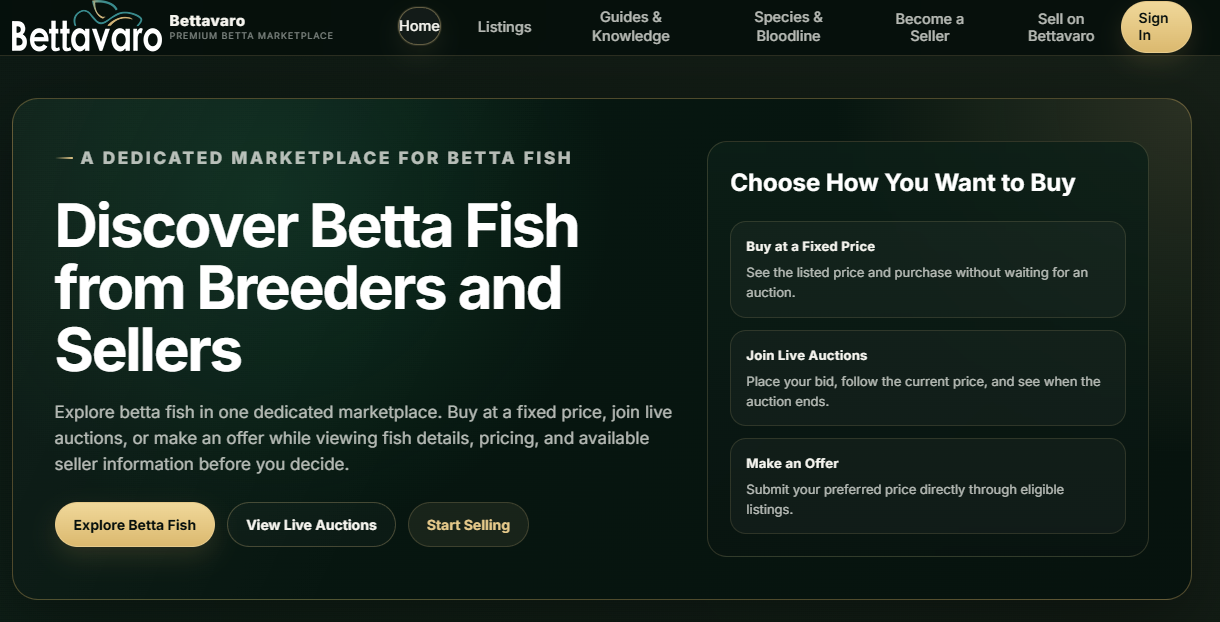
Bettavaro homepage showing the Sign In button in the navigation
View full image
Step 2

Choose New registerStart a new member registration

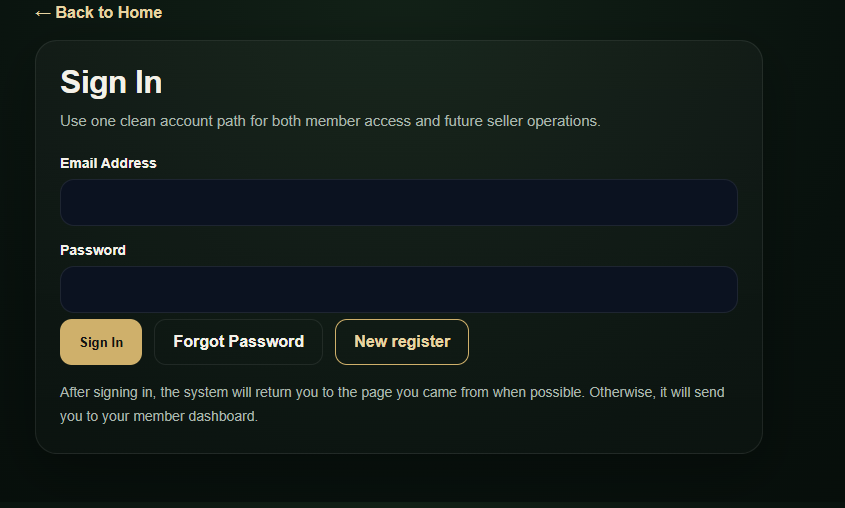
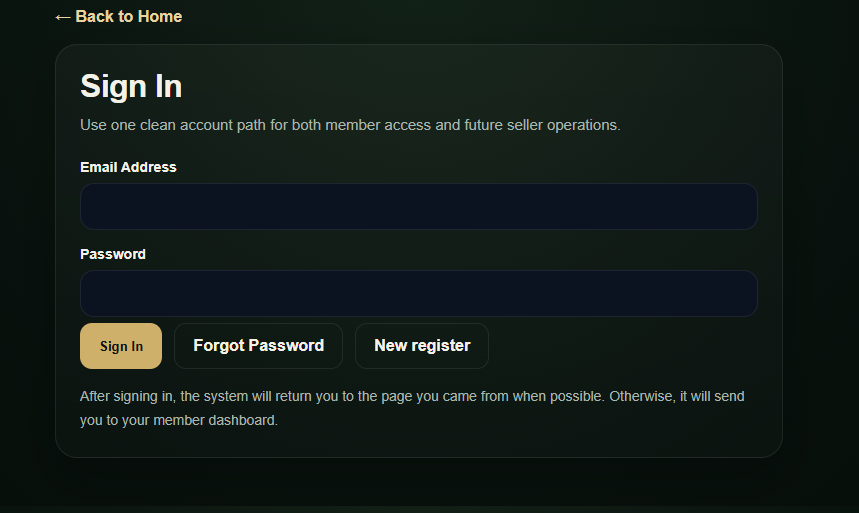
On the Sign In page, select “New register” to begin creating a member account. If you already have an account, sign in with your existing email address and password.

Bettavaro Sign In page showing the New register button
View full image
Step 3

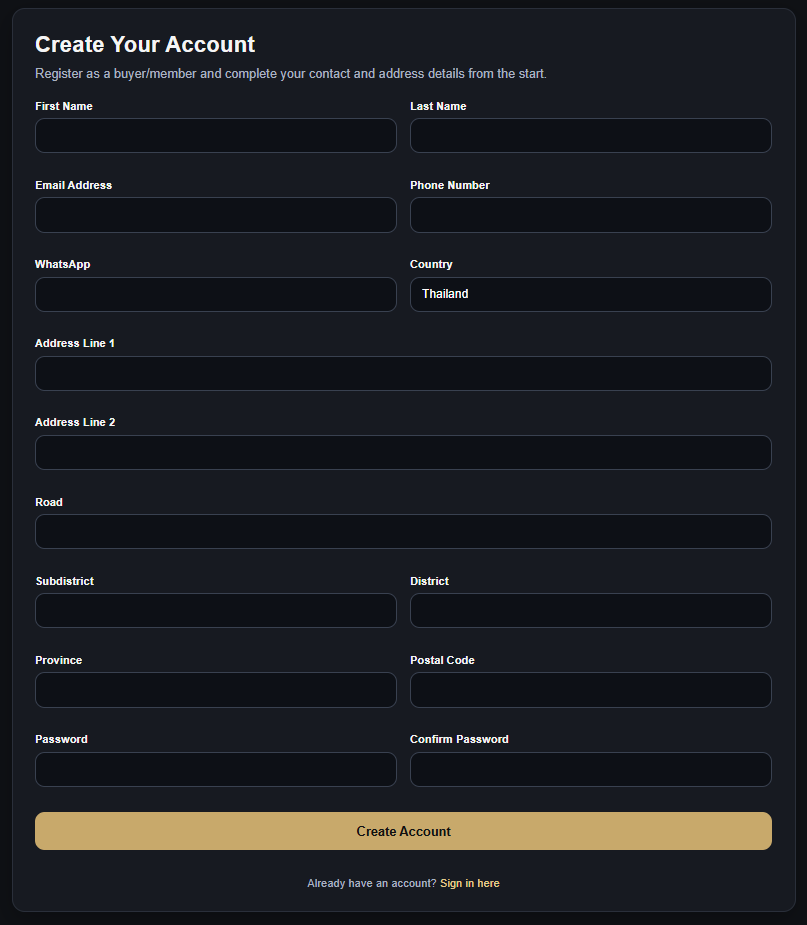
Open the registration formOpen the Create Your Account form

After you select New register, Bettavaro opens the “Create Your Account” form. Have an active email address and accurate contact information ready before you continue.

Create Your Account form opened from the New register button
View full image
Step 4

Complete your account informationEnter your member and address details

Complete the personal, address and password fields shown in the form. WhatsApp, Address Line 2 and Road are optional; the remaining fields marked below are required by the current registration form.

  • First Name* — Your given name
  • Last Name* — Your family name
  • Email Address* — An active email address
  • Phone Number* — Your contact number
  • WhatsApp — If available
  • Country* — Your country
  • Address Line 1* — Your primary address
  • Address Line 2 — Additional address details
  • Road — Street or road name
  • Subdistrict* — Your subdistrict
  • District* — Your district
  • Province* — Your province or state
  • Postal Code* — Your postal code
  • Password* — At least 8 characters
  • Confirm Password* — Enter the password again

Before creating your account

  • Use an email address that you can access.
  • Check the spelling of your name, email address and phone number.
  • Enter a complete address to help prevent ordering and shipping issues.
  • Choose a strong password that you do not use for other important services.
Bettavaro registration form with personal and address fields
View full image
Step 5

Create Account and Sign InSubmit the form and sign in

After checking your information, select “Create Account.” When registration is complete, select “Sign in here” and use the email address and password you registered.

Member benefits

What You Can Do as a Bettavaro Member

Member features available across eligible Bettavaro listings and account areas.

Explore and save listings

Browse betta fish listings and save items that interest you when the feature is available.

Make eligible offers

Send a price offer on listings that support buyer offers.

Join eligible auctions

Place bids on listings that are open for auction participation.

Manage purchases

Review and manage your orders from the member area.

Contact sellers

Communicate with sellers through the contact features available for each listing.

Private dashboard

Access your private member dashboard and account information.

Privacy and account safety

Protect Your Account
Simple steps for safer account access

  • Never share your password or verification codes with anyone.
  • Confirm that the URL uses the Bettavaro.com domain before signing in.
  • Sign out when you use a shared or public device.
  • If you forget your password, use Bettavaro’s Forgot Password feature.
  • Do not send your password through messages or conversations, even if someone claims to represent Bettavaro.

FAQ

Frequently asked questions

Is registration free?

Creating a standard Bettavaro member account is free. Optional seller or premium services may have separate requirements or fees.

Can I use the same account to become a seller?

Your member account is the starting point. Becoming a seller requires a separate application and may require identity verification and approval.

What should I do if I forget my password?

Use the “Forgot Password” option on the Sign In page and follow the instructions provided by the system. Open Forgot Password.

Why should I enter a complete address?

Accurate contact and address information helps support ordering, communication and shipping-related processes.

Can I update my information later?

Yes. After signing in, open your member profile to update your contact and address information. Your registered email is displayed as read-only. Open Member Profile.

Ready to join?

Ready to Join Bettavaro?

Create your account and start exploring Bettavaro’s dedicated marketplace for betta fish.