BETTAVARO SELLER GUIDE

How to Register as a Seller on Bettavaro

Turn your Bettavaro member account into a seller account by completing a straightforward application. This guide explains how to start your application, prepare the required information, review the seller terms and submit your details for approval.

  • One Bettavaro member account
  • Seller identity and business verification
  • Clear application process
  • Application reviewed before seller access is activated

Important prerequisite

Before You Apply

You need an active Bettavaro member account before you can submit a seller application. If you already have an account, sign in and continue to the seller application. If you are new to Bettavaro, create your member account first.

Application overview

Five steps from member to seller applicant

Start Selling
Sign In or Create an Account
Complete Your Application
Review and Accept the Policies
Submit for Review

Detailed steps

Complete your seller application

Select a screenshot to open the original image at full size in a new tab.

Step 1

Select Start Selling

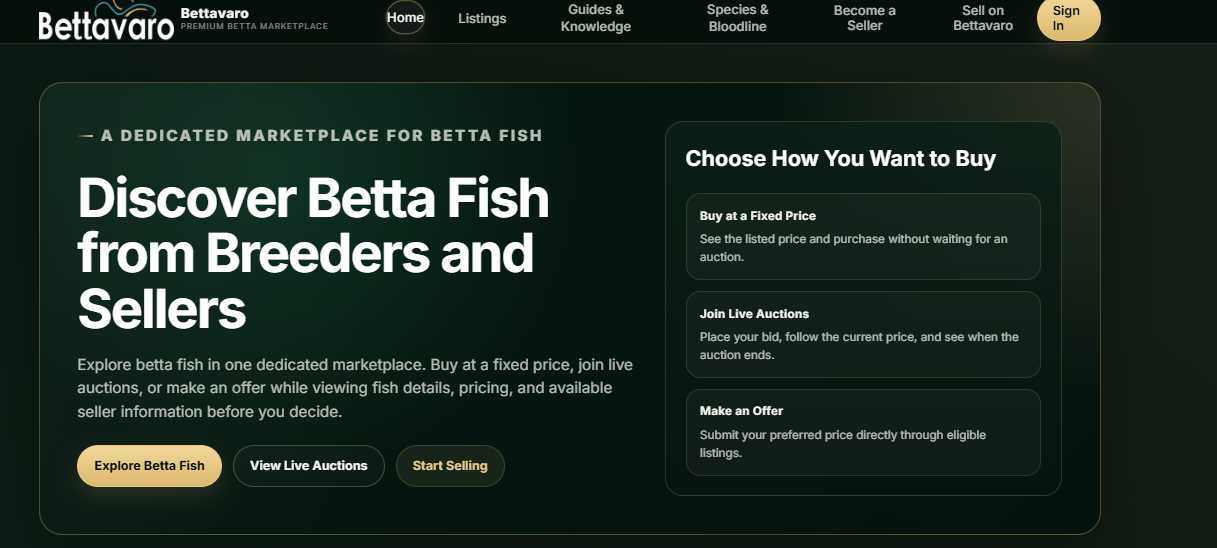
Open the Bettavaro home page and select “Start Selling.” This will take you to the seller application process. Depending on your current account status, Bettavaro may ask you to sign in before you continue.

Bettavaro home page showing the Start Selling button
View full image
Step 2

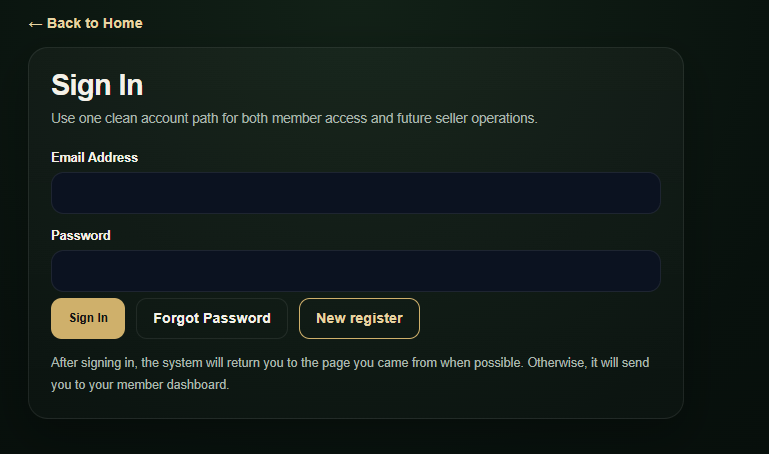
Sign In or Create Your Member Account

Seller applications are connected to Bettavaro member accounts. Sign in with your registered email address and password. If you do not have an account yet, select “New register” and complete member registration before returning to the seller application.

View the Account Registration Guide

Bettavaro Sign In page with Sign In, Forgot Password and New register actions
View full image
Step 3

Complete the Seller Application

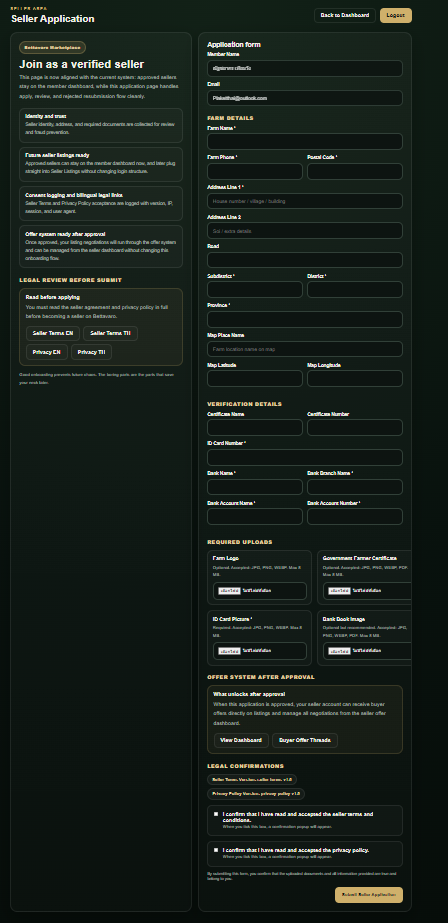
Return to “Start Selling” after signing in and complete every required section of the Seller Application form. Enter accurate information that matches your identity, farm records and payment details.

Information You May Need

  • Member details — name and email
  • Farm details — name, phone and address
  • Location details — optional map information
  • Verification — identification and certificate details
  • Bank details — bank, branch, account name and number
  • Uploads — farm logo, farmer certificate, ID card picture and bank book image

Prepare Clear and Accurate Documents

Make sure uploaded documents are readable, current where applicable and belong to you or your registered business. Information that cannot be verified may delay the review process.

Full Bettavaro Seller Application form with farm, verification and upload sections
View full image
Step 4

Review and Accept the Seller Policies

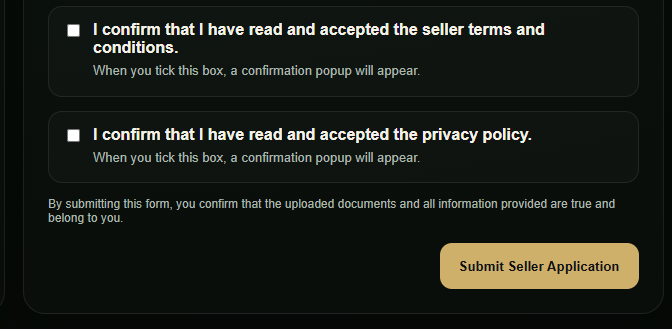
Read the Seller Terms and Conditions and the Privacy Policy before submitting your application. Confirm your acceptance only after you understand the responsibilities, marketplace rules and use of your submitted information.

Seller Application policy confirmation checkboxes and submit area
View full image
Step 5

Submit Your Seller Application

Review your information and uploaded documents one final time. When everything is complete, select “Submit Seller Application.” Bettavaro will review the application before seller access is activated.

Application review times may vary. Bettavaro will notify you after the review has been completed or if additional information is required.

Submit Seller Application button below the policy confirmations
View full image

After submission

What Happens After Submission?

1. Application Received

Your application and supporting documents are recorded for review.

2. Information Review

The Bettavaro team reviews the submitted information and may request clarification or additional documents.

3. Application Decision

You will be notified when the review is complete. Seller features become available only after approval.

Before you submit

Seller Application Checklist

  • I have an active Bettavaro member account.
  • My personal and contact information is accurate.
  • My farm information is complete.
  • My identification and supporting documents are clear.
  • My bank account information matches the required records.
  • I have read the Seller Terms and Conditions.
  • I have read the Privacy Policy.
  • I have reviewed the application before submitting it.

FAQ

Seller application questions

Do I need a Bettavaro account before applying as a seller?

Yes. A seller application must be connected to a Bettavaro member account. Sign in with your existing account or create a new member account before continuing.

Does submitting an application guarantee approval?

No. Seller access is activated only after the application and supporting information have been reviewed and approved.

Why does Bettavaro review seller applications?

The review process helps Bettavaro verify seller information and maintain a more reliable marketplace for buyers and sellers.

What happens if information is missing?

Incomplete or unclear information may delay the review. Bettavaro may request additional information before making a decision.

How long does the review take?

Application review times may vary. Bettavaro will notify you after the review has been completed or if additional information is required.

Can I edit my application after submitting it?

The current application flow does not provide a general edit action after submission. If information needs to be corrected, contact Bettavaro through the website contact page for guidance. Contact Bettavaro.

Begin your application

Ready to Become a Bettavaro Seller?

Create your member account or sign in to begin your seller application. Prepare accurate information and clear supporting documents to help the review process move smoothly.